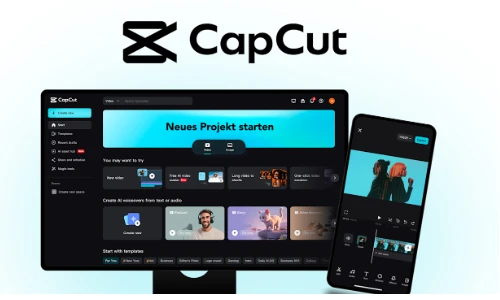






Capcut
What you'll learn
• Navigate professional video editing interfaces
• Cut, trim, and arrange video clips effectively
• Add transitions, effects, and motion graphics
• Apply color correction and cinematic grading
• Sync audio, music, and voiceovers
• Export videos for YouTube, Instagram, and web platforms
This course includes:
• 1 Final Video Editing Project
• 12–16 Hours Live Classes
• Online / Onsite (Physical)
• Practice Video Footage & Assets
• Editing Exercises
• Certificate of Completion
Course Content
Video Editing Basics
• Introduction to:
- Adobe Premiere Pro
- CapCut
• Workspace & interface overview
• Timeline editing basics
• Importing media: - Video
- Audio
- Images
• Project organization and workflow
Cutting, Trimming & Arrangement
• Cutting clips using Razor/Split tools
• Trimming and adjusting clip duration
• Arranging clips on timeline
• Multi-track editing basics
• Creating smooth scene flow
Transitions, Effects & Motion Graphics
• Video transitions:
- Fade
- Slide
- Zoom
• Applying visual effects
• Basic motion graphics and animations
• Text overlays and titles
• Keyframe animation basics
Color Correction & Grading
• Basic color correction:
- Brightness
- Contrast
- Saturation
• Cinematic color grading basics
• LUTs and presets
• Matching colors between clips
Audio Editing
• Audio synchronization
• Adding background music
• Voiceover recording and editing
• Noise reduction basics
• Volume balancing and audio fades
Final Project
Project: Social Media / YouTube Video Edit
Features:
• Professional cuts and transitions
• Motion graphics and titles
• Background music and voiceover
• Color grading
• Export-ready final video
Exporting & Output
• Export settings for:
- YouTube
- Instagram Reels
- TikTok
- Facebook
• Video formats: - MP4
- MOV
• Resolution settings: - 720p
- 1080p
- 4K basics
Requirements
• No prior editing experience needed
• Laptop/PC or mobile device capable of video editing
Description
This course introduces students to professional video editing using Premiere Pro and CapCut. Students will learn editing workflows, transitions, audio editing, and color grading techniques used in content creation and media production.
By the end of this program, learners will be able to create polished videos for social media, YouTube, marketing, and personal projects.
Why Choose This Course?
• Beginner-friendly editing workflow
• Industry-standard editing tools
• Social media content creation focus
• Hands-on practical projects
Activities During Class
• Editing video clips
• Creating transitions and titles
• Syncing audio and music
• Applying effects and color grading
• Exporting final projects
Who Is This Course For?
• Beginners in video editing
• YouTubers and content creators
• Social media marketers
• Students interested in media production
Course Highlights
• Timeline Editing
• Transitions & Effects
• Motion Graphics
• Color Grading
• Audio Editing
• Video Exporting
🎬 Final Outcome
Students will be able to:
• Edit professional-quality videos
• Add effects and motion graphics
• Improve video color and sound
• Export videos for multiple platforms
• Build a beginner video editing portfolio
📸 Course Gallery